
A DSE assessment is not a chair inspection and it is not a tick-box exercise. It is a structured conversation about how a person works, what their workstation demands of them and whether preventable discomfort or harm is developing. Knowing how to conduct DSE assessments well helps Occupational Health practitioners turn a common workplace requirement into practical, defensible action.
For many workers, the issue is not one dramatic hazard. It is the accumulated effect of hours spent looking down at a laptop, reaching for a mouse, working through breaks or using a kitchen table as a permanent workstation. A good assessment identifies these patterns early and recommends proportionate changes that the worker and manager can realistically implement.
DSE means display screen equipment, including desktop monitors, laptops, tablets and similar screens. Under the Health and Safety (Display Screen Equipment) Regulations 1992, employers must assess workstations for workers who habitually use DSE as a significant part of their normal work. The focus is the workstation and the way it is used, not a diagnosis of every musculoskeletal symptom.
Before assessing, establish whether the worker is a DSE user and clarify the referral question. Is this a routine assessment, a self-assessment requiring review, a response to new discomfort, a return-to-work issue, or a request for reasonable adjustments? The route matters. A routine review may identify straightforward ergonomic improvements, while persistent symptoms, sickness absence or a known health condition may require a more detailed Occupational Health opinion.
Keep the roles clear. Managers and employers are responsible for providing suitable equipment and acting on identified needs. The assessor gathers relevant information, identifies risks and frames practical recommendations. The worker has valuable expertise in their own tasks and symptoms. This shared approach produces far better outcomes than simply issuing equipment.
A useful assessment begins with enough information to make the consultation efficient. Review the worker’s job role, usual location and working pattern. Ask whether they use more than one workstation, work from home, hot-desk, travel frequently or alternate between office and clinical settings.
If the assessment is remote, ask for photographs or a brief video view of the workstation in advance where appropriate and consented to. This can be particularly helpful for home workers, but it should not become intrusive. You need to see the work setup, not the worker’s home life.
Consider whether there is relevant health information. You do not need a full medical history for every DSE review. However, recent upper limb symptoms, neck or back pain, migraine, visual difficulty, pregnancy, neurodiversity, inflammatory conditions or a disability may affect what is reasonable and effective. Work within your competence, maintain confidentiality and obtain informed consent for any information that needs to be shared with management.
The most valuable part of the assessment is observing, or carefully reconstructing, a typical period of work. Ask the worker to demonstrate their main tasks rather than arranging the desk into an ideal position before you arrive. A workstation may look acceptable in a photograph but create problems when someone is entering data, handling calls, reading paper notes or switching between two systems.
Explore task demands first. How long are they at the screen? Are there intense periods with little autonomy over breaks? Do they transcribe from documents, use a telephone while typing, work across two screens, or perform highly repetitive mouse work? A high-quality chair does not compensate for a poorly designed task.
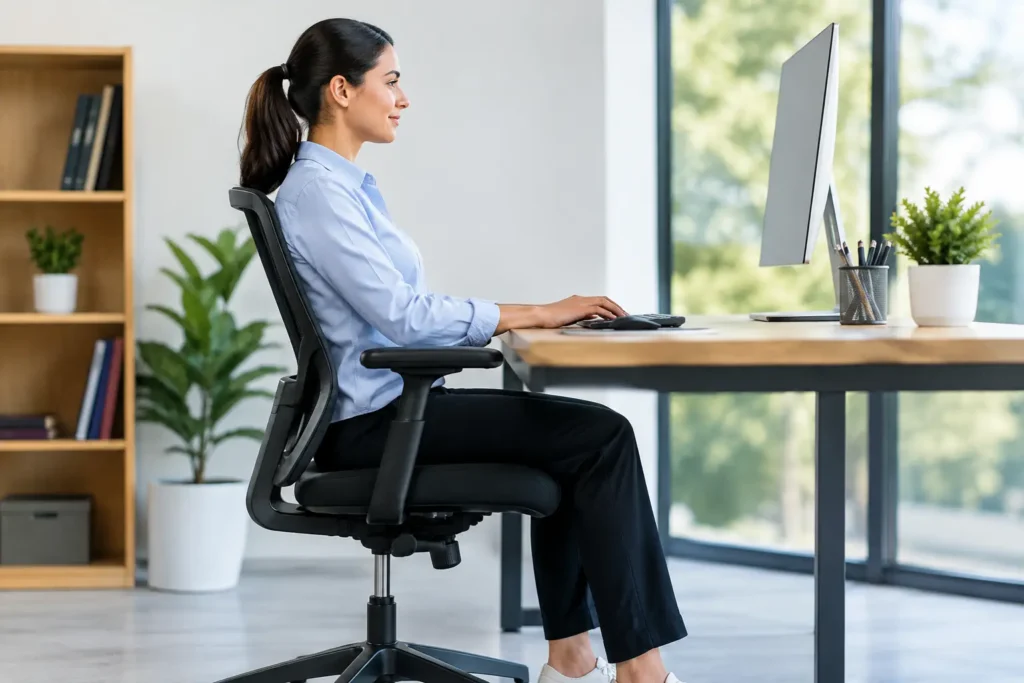
Then review the workstation as a system. Look at the relationship between chair, desk, screen, keyboard, mouse, documents, lighting and the worker’s posture. There is no single perfect posture to prescribe. The aim is neutral, supported and varied positioning, with equipment arranged to reduce sustained reach, awkward neck rotation and visual strain.
During the review, check the following areas:
Ask open questions throughout: “When does discomfort begin?”, “What task makes it worse?”, and “What have you already tried?” Symptoms that improve away from work may still be work-aggravated, but avoid assuming causation from timing alone. Your role is to identify plausible workplace contributors and reduce risk.
Recommendations should be specific enough to act on and proportionate to the evidence. “Improve ergonomics” is not useful to a manager or worker. “Provide a separate keyboard and mouse for laptop-based work, and position the laptop on a stable riser so the top of the screen is approximately at eye level” is clear and measurable.
For a laptop user working for several hours each day, the usual starting point is a separate keyboard, mouse and suitable screen height. If they need to refer to paper records, a document holder may reduce repeated neck movement. For a worker spending much of the day on calls, a headset may be more relevant than another chair adjustment.
Do not assume that more equipment is always the answer. An expensive ergonomic chair is unlikely to resolve pain where workload prevents breaks, the user has not been shown how to adjust it, or the task requires prolonged static work. Equally, advice to take breaks will have limited value if the worker has no control over appointments or call queues. Recommendations may need both an equipment solution and a conversation about work design.
Some workers require tailored adjustments. A person with reduced mobility may need a different chair mechanism or more accessible controls. Someone with visual impairment may need screen magnification, contrast changes, specialist software or a larger monitor. During pregnancy, changing posture and comfort may make a review necessary even where the workstation was previously suitable.
Where symptoms are persistent, severe, associated with neurological signs, or not improving despite sensible changes, consider whether clinical assessment or onward referral is indicated. DSE assessment is part of good Occupational Health practice, but it is not a substitute for diagnosis and treatment.
Workers often hear “take regular breaks” as vague advice that is impossible to follow. Translate it into the rhythm of the job. Short, frequent changes of activity are generally more useful than waiting for one long break. A worker might stand during a call, collect a printout, discuss a case in person, or alternate screen work with a non-screen task.
The objective is movement and visual variation, not a rigid timer that creates anxiety. For highly scheduled roles, the manager may need to protect short gaps between appointments or rotate demanding tasks. This is where the assessment moves beyond posture and into meaningful risk control.
Your record should explain what was assessed, the main findings, the agreed actions and who is responsible for each action. Separate factual observation from the worker’s account and from your professional recommendation. This makes the report easier to understand and stronger if decisions are later questioned.
A concise outcome might record that the worker uses a laptop for six hours daily, reports right forearm discomfort during intensive mouse use, and currently works with the laptop on a low desk. Recommended actions could include a separate mouse and keyboard, laptop riser, workstation set-up guidance, task variation and review after four weeks. If management action is required, state this plainly without disclosing unnecessary clinical detail.
Agree a review point. Immediate follow-up may be appropriate for symptom-led referrals, new adjustments or safety-critical roles. For a straightforward routine assessment, the worker can often be advised to request review if tasks, equipment, location or symptoms change. A recommendation that is never checked may be technically correct but practically ineffective.
The most frequent error is treating the assessment as equipment selection. Another is assuming the worker knows how to use adjustable equipment once it arrives. Demonstrate key adjustments where possible, or provide clear guidance, because a chair at the wrong height can create as many problems as the chair it replaced.
Avoid making clinical conclusions that the available evidence cannot support. It is reasonable to say that sustained mouse use may be contributing to reported forearm discomfort; it is not reasonable to diagnose a condition solely from a workstation review. Be equally cautious about attributing all symptoms to work, particularly where there are non-work factors or an established health condition.
Finally, do not overlook hybrid working. A worker may have an excellent office set-up and an unsuitable home arrangement used three days each week. Assessment should reflect the locations and tasks that genuinely make up their working life.
A confident DSE assessor does more than identify an incorrectly positioned screen. They help the worker understand their options, give managers actions they can implement and recognise when a simple adjustment needs wider clinical or organisational support. That practical judgement is what turns a DSE assessment into better, safer work.